Solution Article: Set Up Scheduled Payment Dates
Summary
VANAS LMS allows school administrators to define specific payment dates for programs. This enables institutions to collect payments at scheduled times based on term or program settings.
Applies To
VANAS LMS – Administrators
Steps
Log in to VANAS LMS with your Admin account.
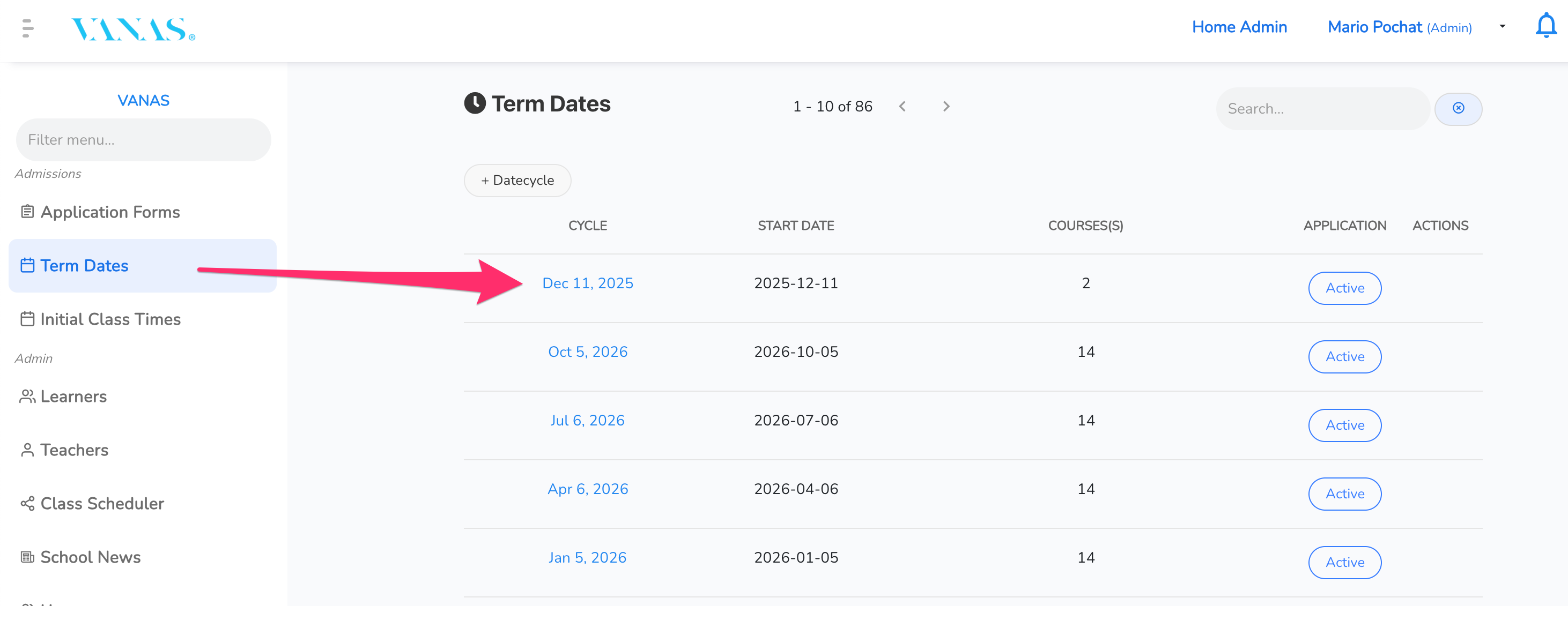
From the left-side menu, select Term Dates.
Create a new term date or select an existing one.
Add or select the Program associated with the term.
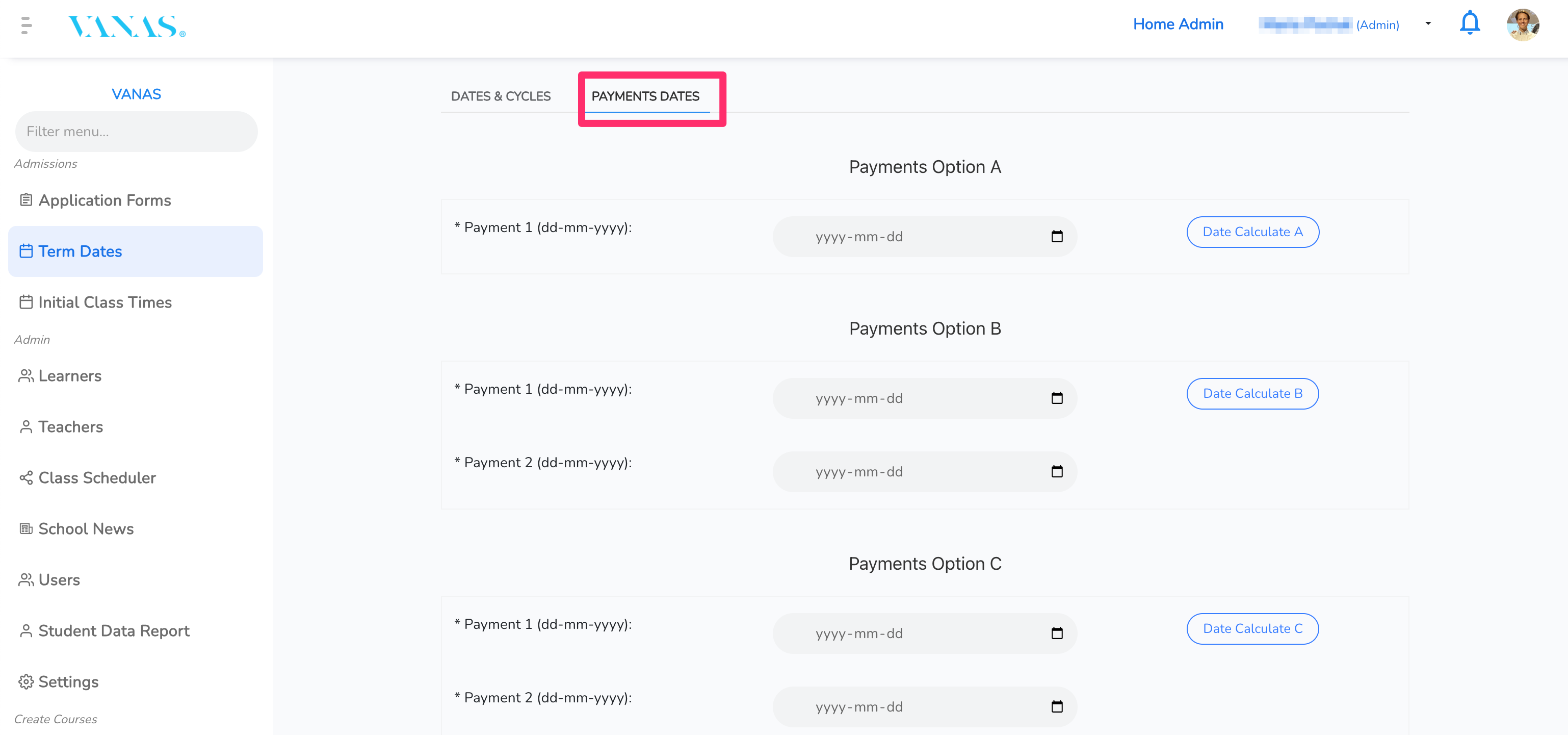
Select the Payment Dates tab.
Enter the desired payment dates and save your changes.
Once saved, payments will be collected according to the scheduled dates.
See images for visual reference.
Was this article helpful?
That’s Great!
Thank you for your feedback
Sorry! We couldn't be helpful
Thank you for your feedback
Feedback sent
We appreciate your effort and will try to fix the article