Summary
VANAS LMS provides multiple ways for administrators and teachers to view a learner’s desktop. Access depends on the user’s role and permissions within the system.
Applies To
VANAS LMS – Administrators and Teachers
Steps
As an Administrator
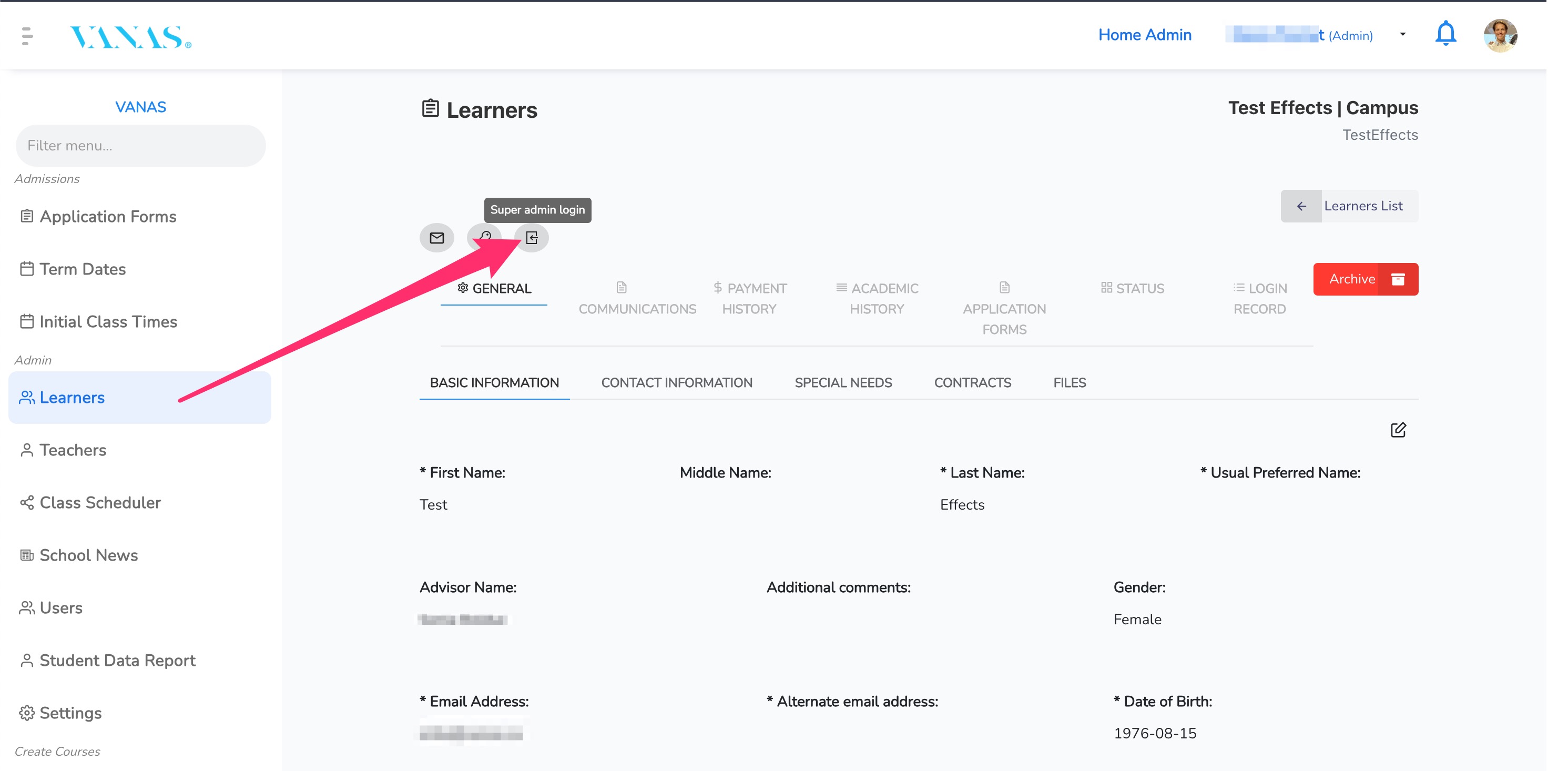
Log in to VANAS LMS with your Admin account.
From the admin panel, select the Learners menu.
Click on the student name you want to access.
Click on the Super Admin Login icon.
You will now be able to view the learner’s desktop.
See images for visual reference.
As a Teacher
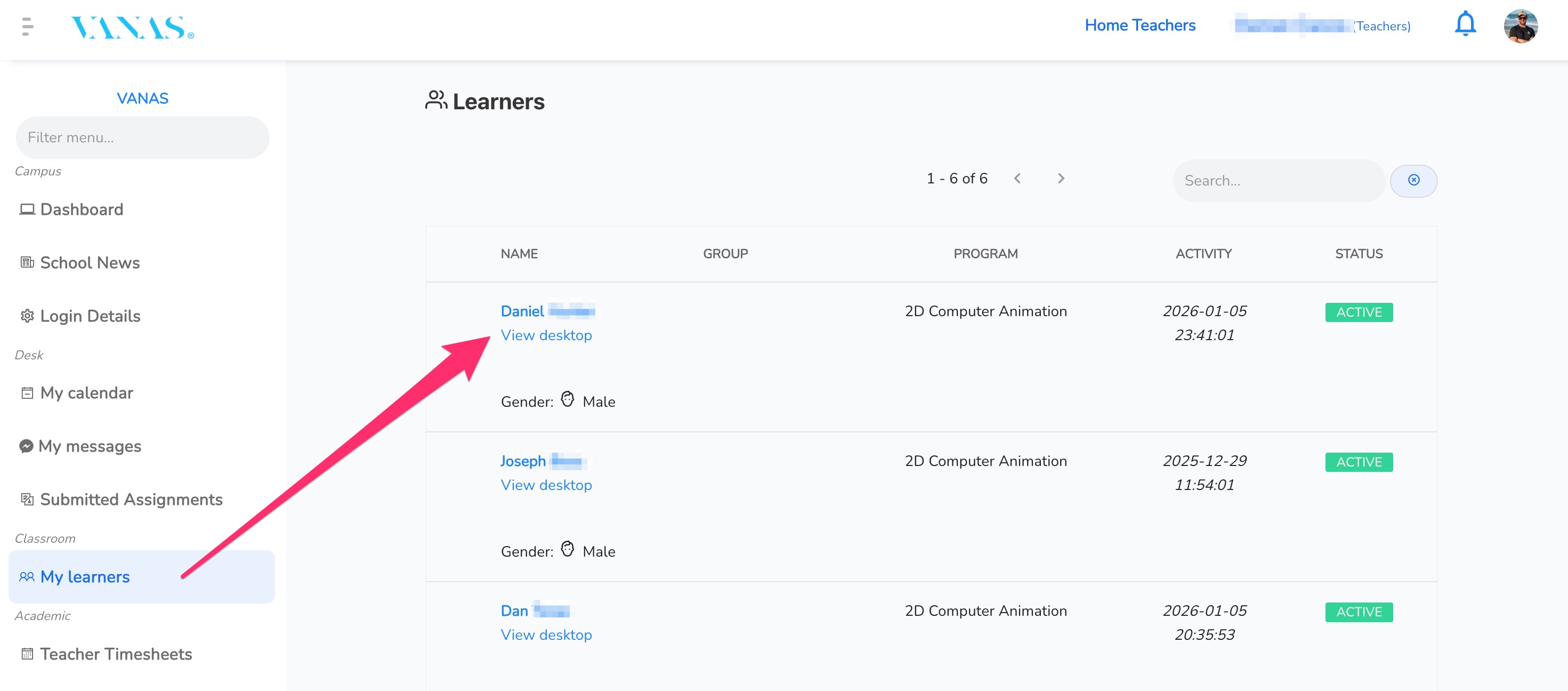
Log in to VANAS LMS as a Teacher.
Select the My Learners menu.
Locate the desired learner.
Click View Desktop.
You will now be able to view the learner’s desktop.
See images for visual reference.
Was this article helpful?
That’s Great!
Thank you for your feedback
Sorry! We couldn't be helpful
Thank you for your feedback
Feedback sent
We appreciate your effort and will try to fix the article