Summary:
VANAS LMS allows administrators to create and customize letter templates. These templates can include dynamic variables to personalize communication with learners and applicants.
Applies To:
VANAS LMS – Administrators
Before You Begin
Have your letter content ready and identify which variables (such as learner name, program, or date) you want to include in the template.
Steps to Set Up Your Letter Templates
Log in to VANAS LMS as an Administrator
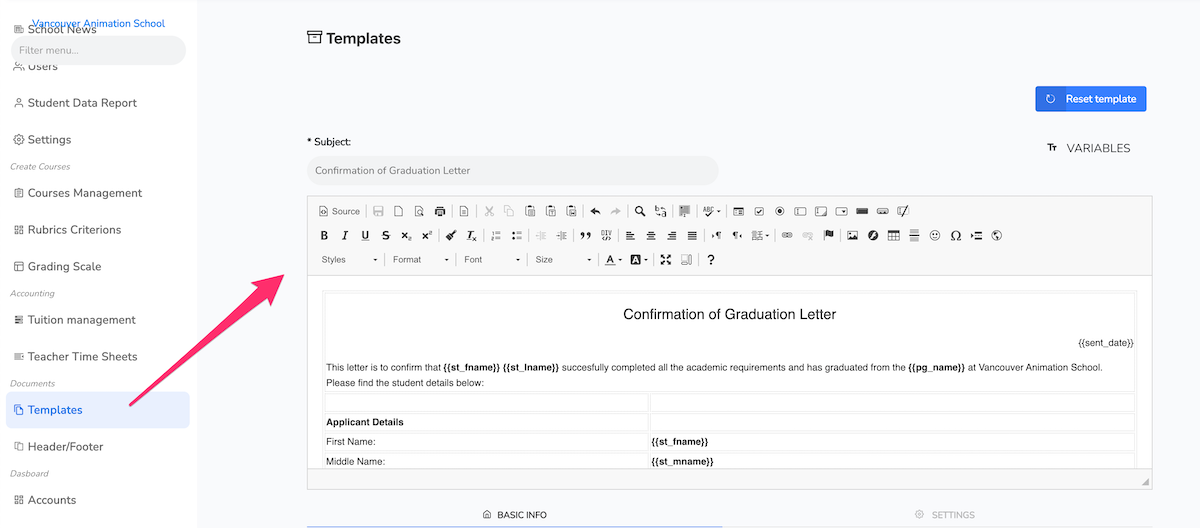
From the left menu, select Templates
Click on New Template
In the editor, write your template
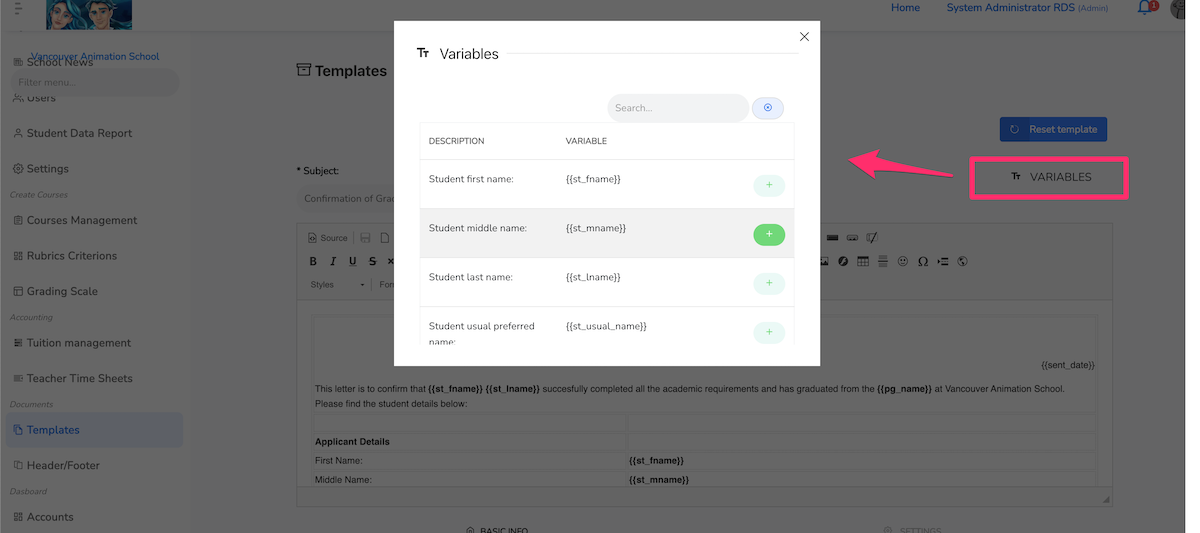
From the Variables menu, select the corresponding variables
How to Test
Select a Learner or Applicant
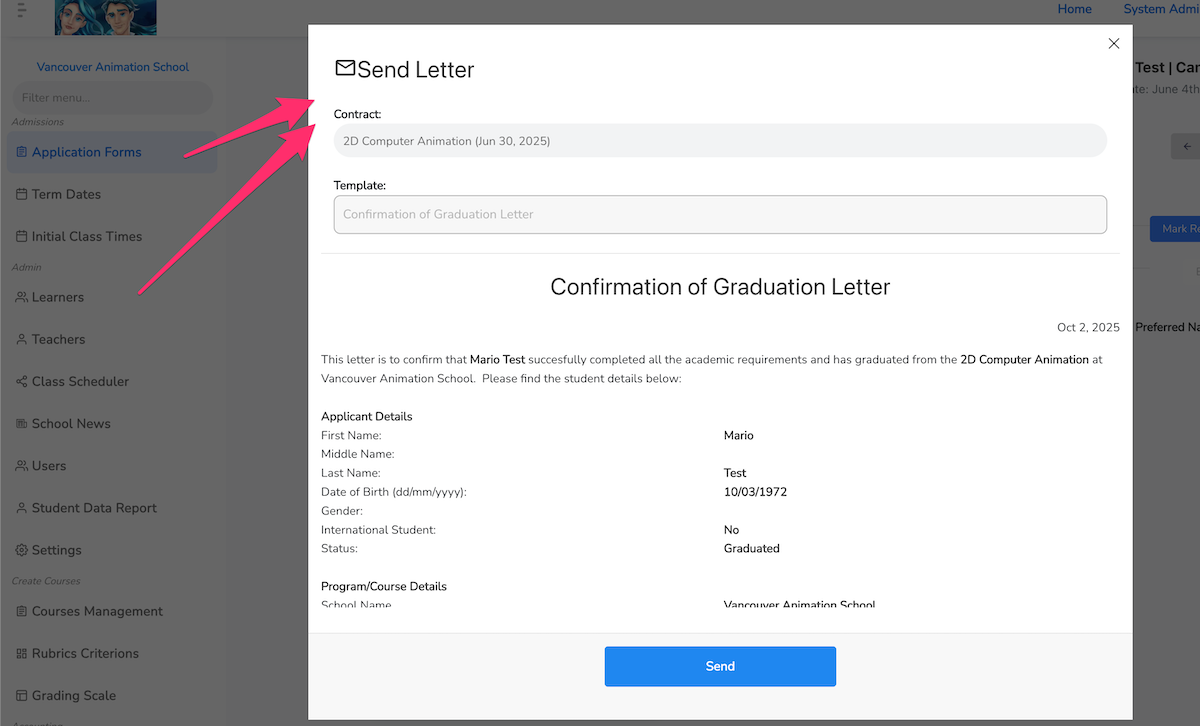
Click on Send Letter
Confirm your Preview
Was this article helpful?
That’s Great!
Thank you for your feedback
Sorry! We couldn't be helpful
Thank you for your feedback
Feedback sent
We appreciate your effort and will try to fix the article